
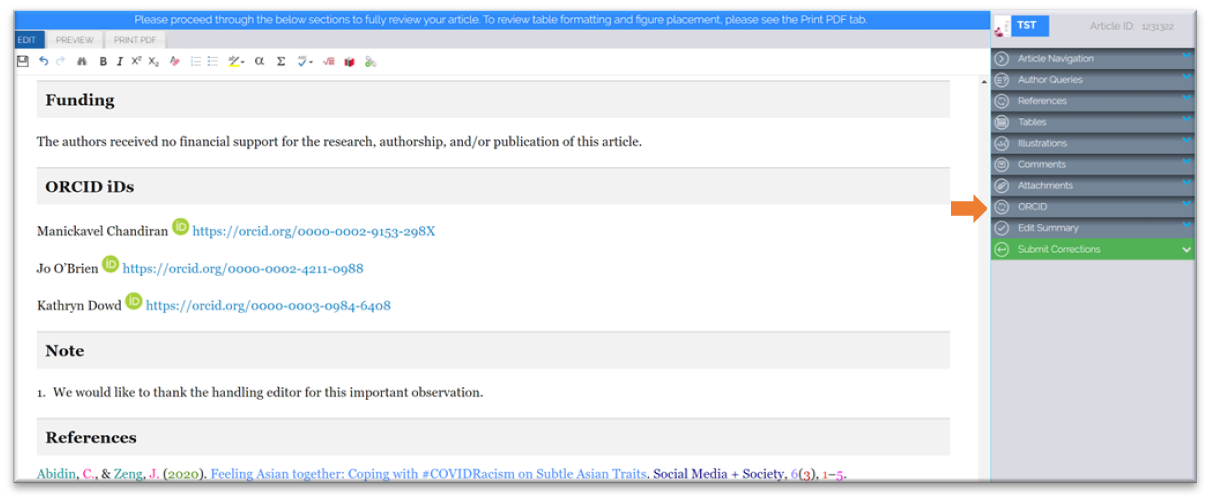
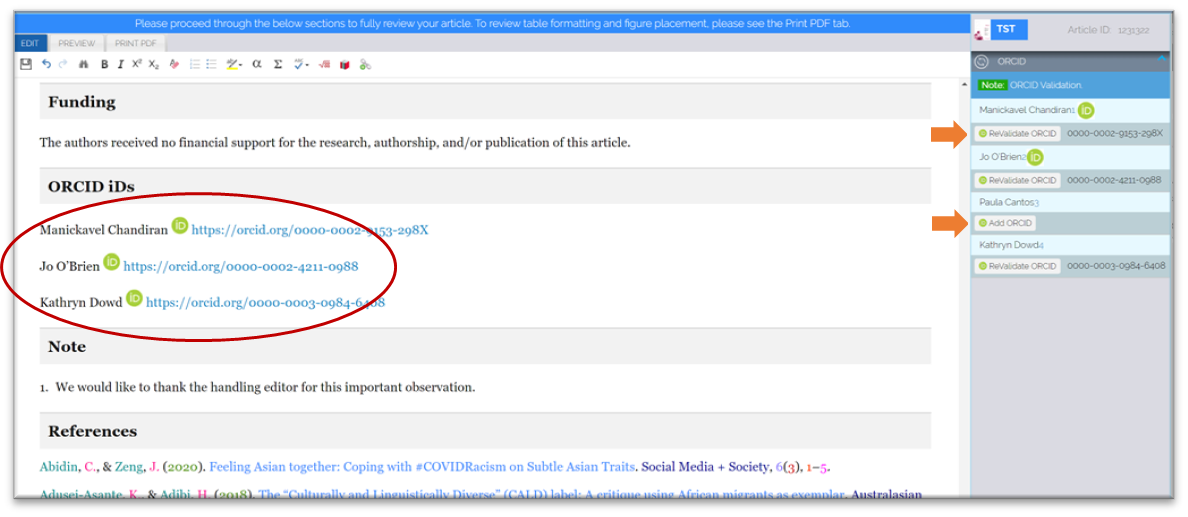
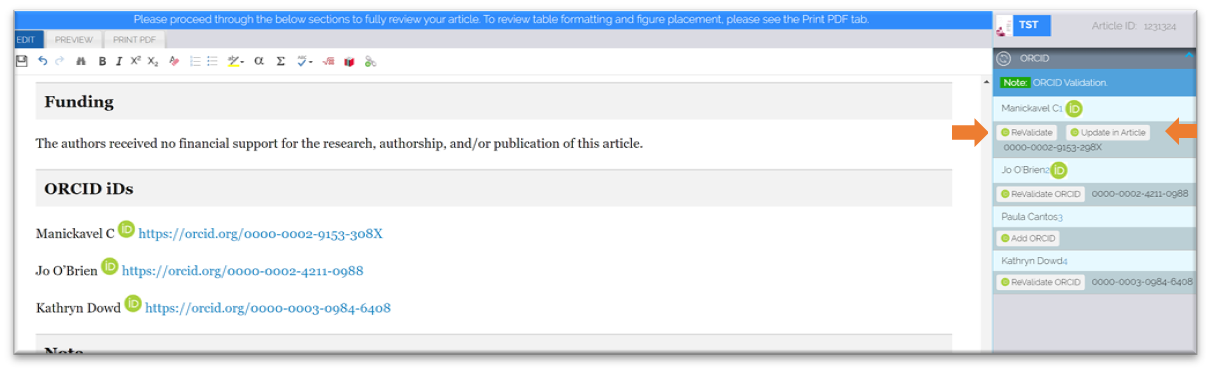
- To ReValidate an existing ID or add a new ORCID, click the relevant button which will open the validation pop-up screen for the user.
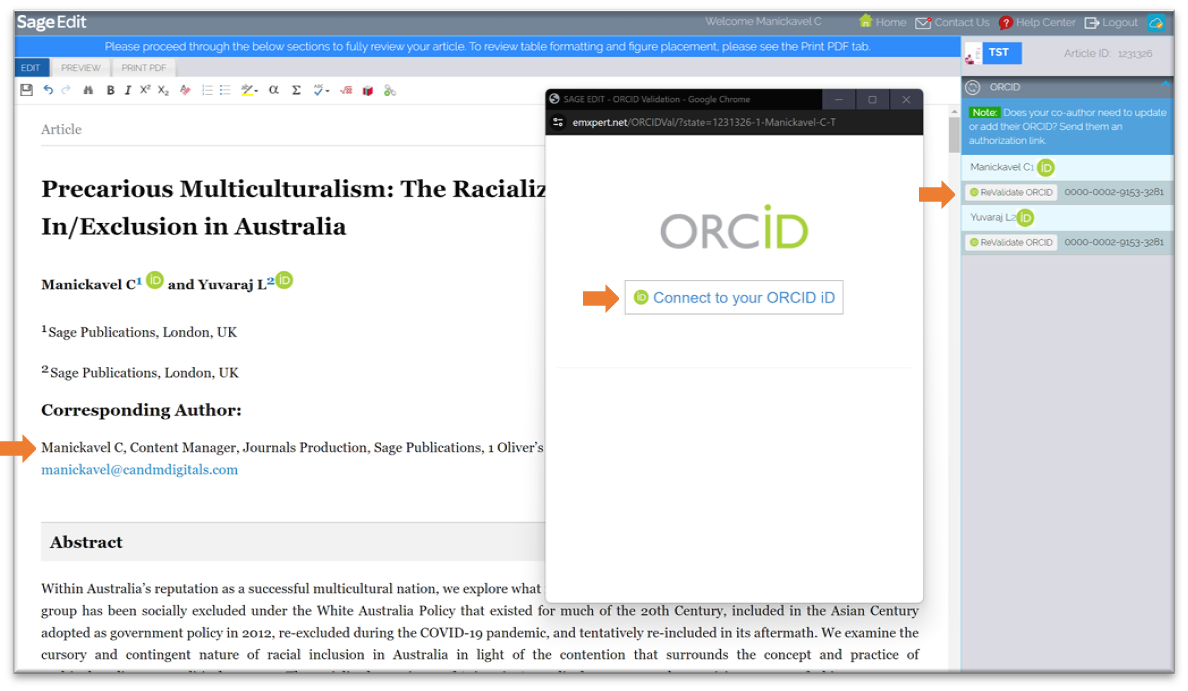
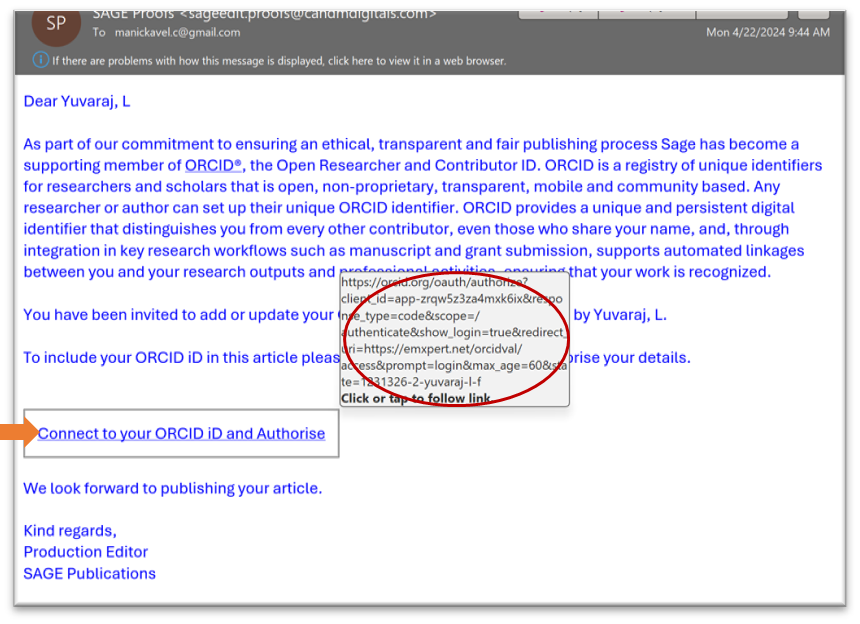
The Corresponding author can Revalidate/Add their ID by clicking “Connect to your ORCID ID”
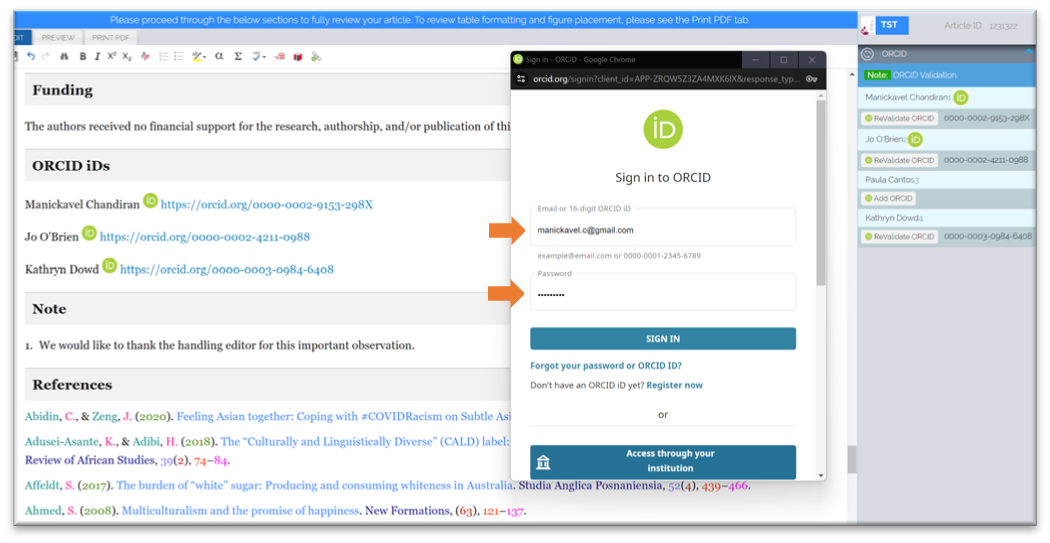
- Once the “Connect to your ORCID ID” is clicked, please sign in to the ORCID validation portal using your registered email ID or ORCID ID
- The successful authorization details will be displayed along with all your details.
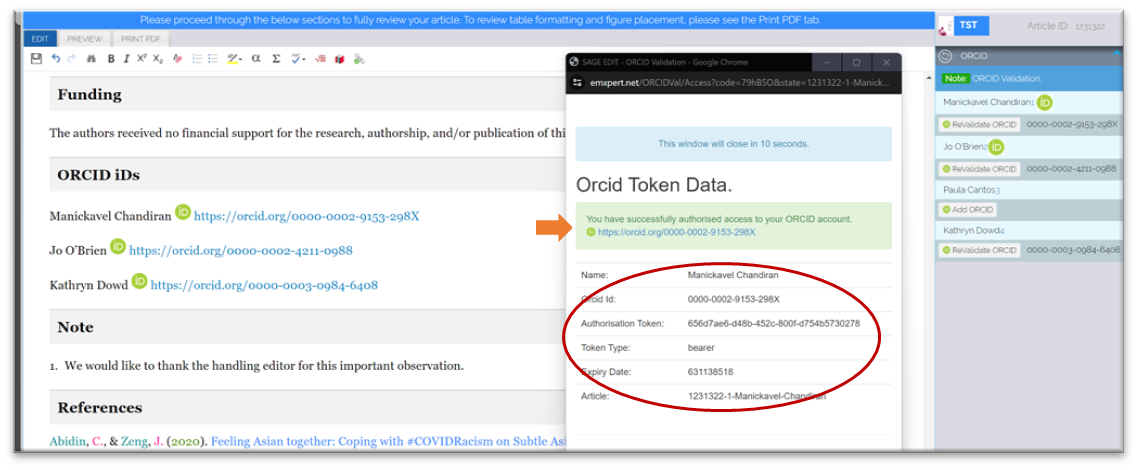
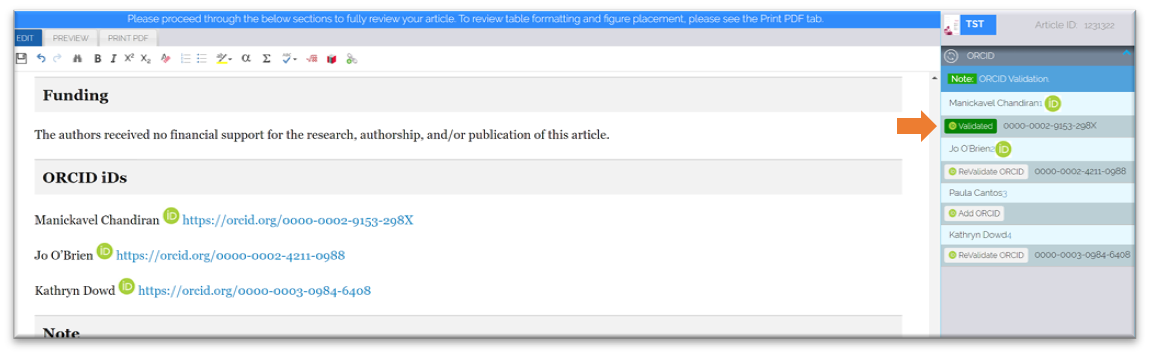
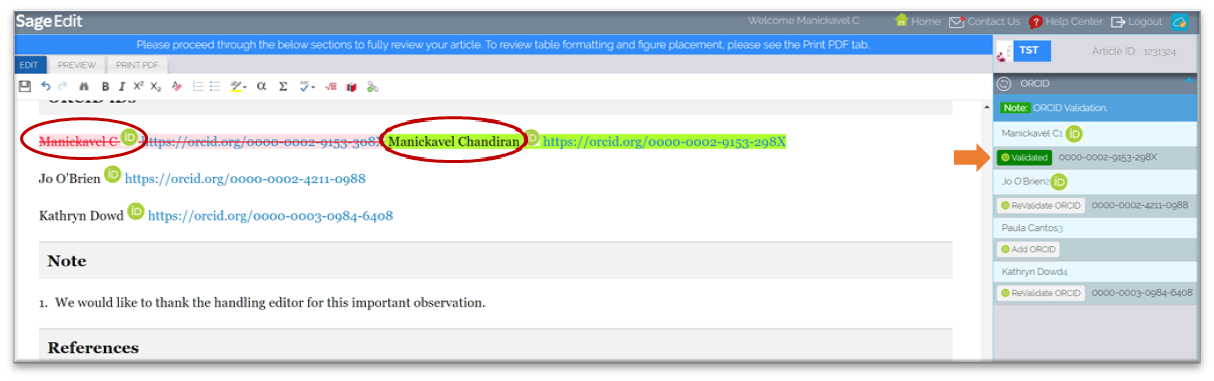
- Once the ORCID is validated, the button automatically changes to “Validated”.
- If the co-authors also need to add/verify their ORCID IDs, please initiate an email to the co-author from the system.
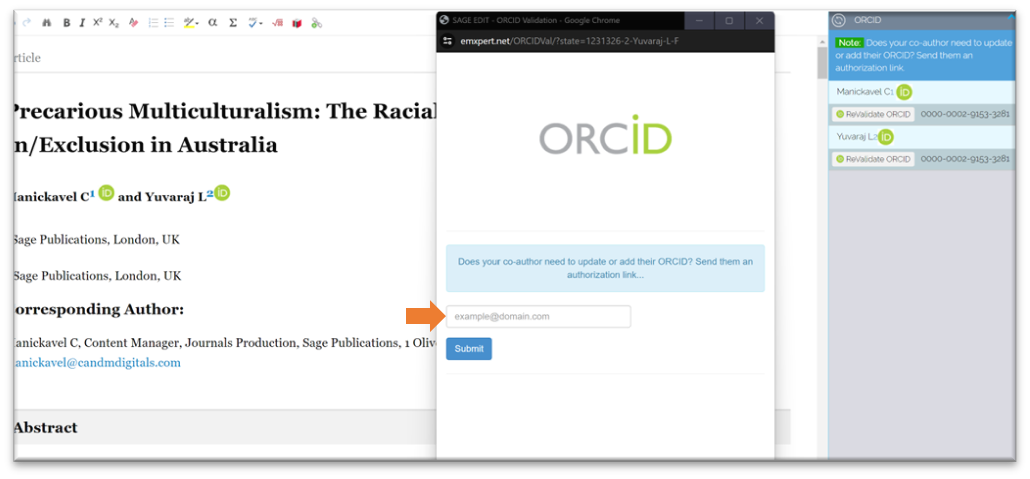
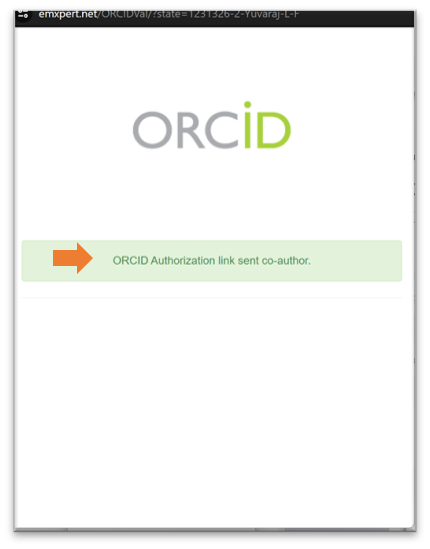
- Once the co-author's email ID is entered in the window, a unique hyperlink to validate the respective author is emailed for validation. A confirmation message will also be available.
 NOTE: The corresponding author can only validate their own ORCID IDs, for all the co-authors they can only send an email for validation.
 - The co-authors can simply click the hyperlink, and it will automatically pop up the ORCID portal, wherein the co-authors will be asked to validate/add the ORCID ID using their credentials. Once done, the information will be automatically updated in SAGE Edit.
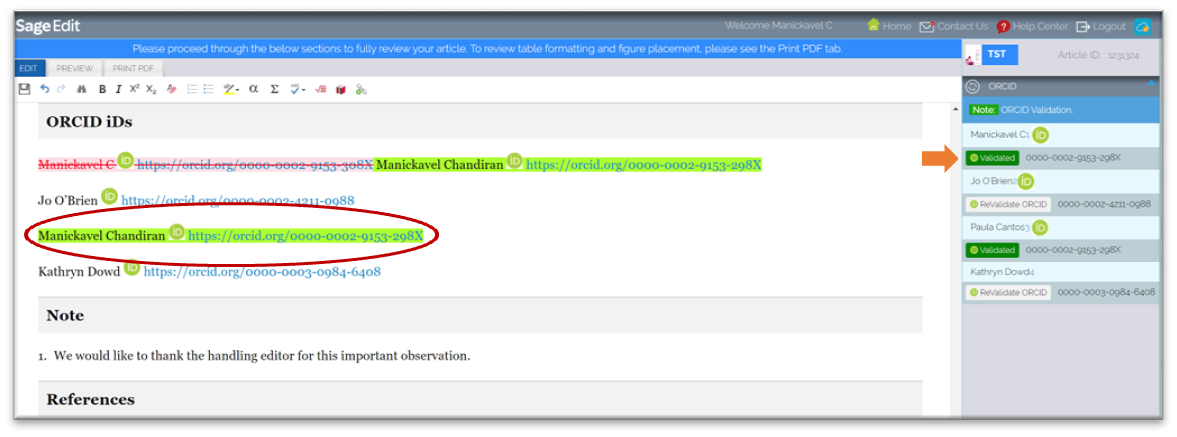
- If there is a typo in the Author /Co-Author's name, after validation, two options will be enabled i.e. “Revalidate” and “Update in Article”.
- Suppose the author decides to accept the Typo and update the article. In that case, please select “Update in Article” the system will automatically correct the author's name in the ORCID field and the button will change to “Validated”.
- If an author /co-author tries to log in using an invalid ID, a warning symbol will be displayed, and the actual error will be displayed in the tooltip.
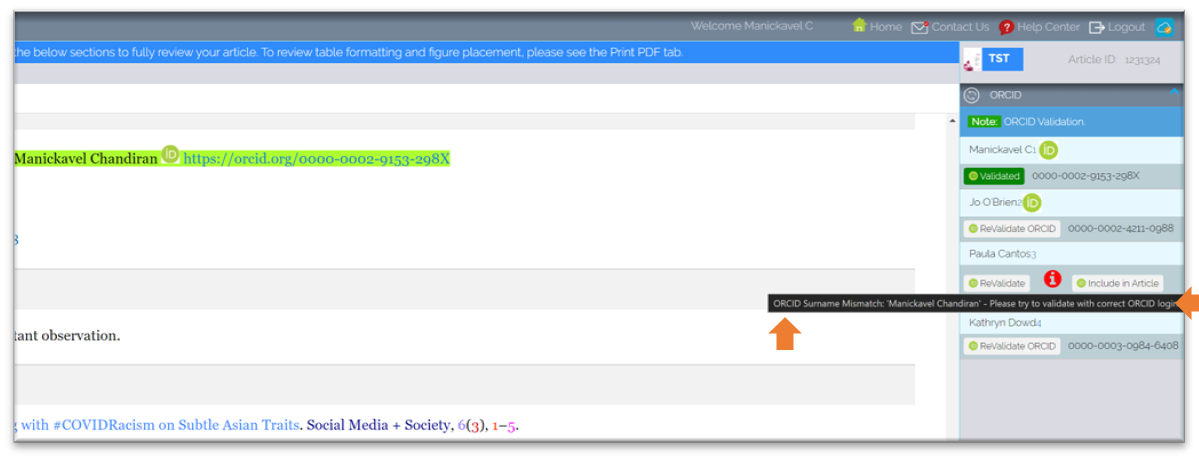 In such a situation, the user can either “ReValidate” again using the correct login.
 - Once done, make sure to click the “Include in Article” so that the correct ID is added to the proof with the exact name available in the ORCID database.
 NOTE: If the “Include in Article” is not clicked, then the ID will not be updated in the system.