
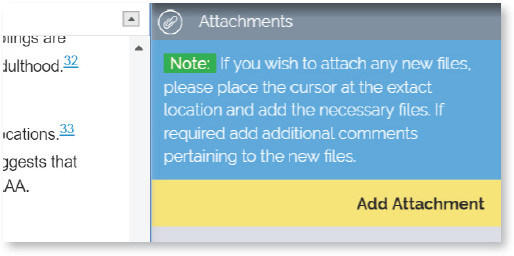
You can send new artwork, table, or references for incorporation in the article by uploading an attachment. Place the cursor anywhere within the body of the article, click on “Attachments” a pop-up window opens where you can attach the necessary files and add comments about them. Once done click “Add” and the file will be uploaded. A green attachment marker icon ( ) will be will be shown in the location where you have attached the file.
The file name will be visible when you hover over the comment marker.
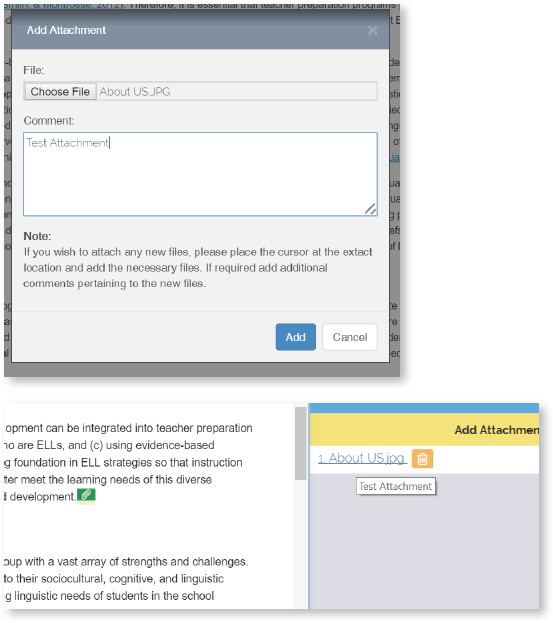

Attach one file at a time. You can upload multiple files in a zipped file. If you want to remove the attachment, select the file in the “Attachment” bar and click on “Delete” icon.